Plebs Plane Crash Sandbox How to Stage Spectacular Crashes
Setup, failures, Run mode, replays — cinematic wreckage on demand.
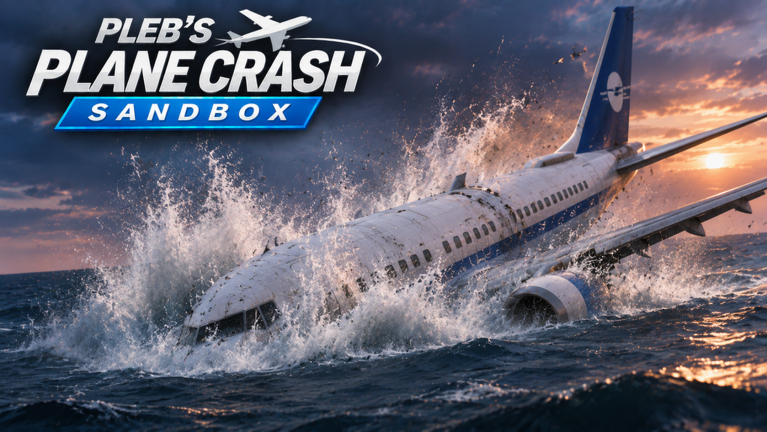
This guide teaches how to crash on purpose in Plebs Plane Crash Sandbox — not by mashing the ground on spawn, but by staging readable, spectacular breakups. You will combine airframe choice, passengers, map, weather, failure choreography, pilot or Run execution, and crash replay review. The ALPHA build tagged UPD 7.4 already includes the toys; your job is direction.
Prerequisites: Getting Started, Controls, and Trigger Failures. Rankings for which planes shred best live on the Tier List and Best Crash Planes.
What “spectacular” means here
A great crash is easy to watch:
- A clear cause (birds, fire, bad weather, missile)
- A middle act (yaw, roll, asymmetric thrust, warnings)
- A finale (wing snap, engine tear-off, skid, burn, or sink)
- Camera that keeps the fuselage readable
A weak crash is instant gray dust with no story. Solo servers (maxPlayers: 1) exist so you can reset until the story works.
Pipeline overview
- Pick the hero airframe — heavy airliner for documentary wrecks; Military Intervention fighter for armed chaos (Aircraft).
- Dress the set — passengers on/off, map geometry, weather mood.
- Write the failure script — ordered events from the failures guide.
- Rehearse in pilot mode — confirm timings and warnings (PULL UP, SINK RATE, STALL).
- Perform with Run — lock the take for consistency.
- Scrub replay — keep or iterate.
- Log the crash counter moment — then change one variable for the encore.
Set pieces that always work
A. Asymmetric airliner tragedy
- Full passengers, clear weather, long climb.
- Bird strike on engine one → fire → optional engine fall-off.
- Hold pilot recovery just long enough for STALL/SINK RATE flavor, then lose it.
- Encore in Run with a late wing snap on descent.
B. Short-final wing snap
- Medium airliner, calm wind, obvious runway.
- Configure a single wing snap at low altitude.
- Pilot a stable approach, trigger snap, watch the skid and breakup.
- Replay to study ground slide vs cartwheel.
C. Water sink documentary
- Map with long water, storm optional.
- Flame-out both sides staggered, ditch intentionally.
- Emphasize wreckage that sinks after the slide.
D. Military Intervention shoot-down
Requires the Military Intervention pass: fighters with guns/bombs, plus anti-aircraft guns and missile launchers.
- Spawn fighter, climb, strafe or bomb to pre-damage.
- Switch narrative to ground AA/missiles for the finish — or reverse: ground weapons first, pilot the stricken jet into terrain.
- Run mode shines when weapon timings are rehearsed.
Camera and framing tips
- Pre-aim the camera at the expected break line (wing root, engine pylon).
- Avoid ultra-tight FOV during snaps — you will lose the fuselage.
- For fighters, wider framing compensates for roll rate.
- After impact, linger on secondary motion: fire, skid, sink.
Using Run without surrendering authorship
Run is not “AFK win.” It is a playback of your configuration. If Run looks random, your pre-arm order is random. Checklist before pressing it:
- Airframe selected
- Passengers state chosen
- Map/weather locked
- Failures ordered
- Camera centered
- Goal declared (counter farm vs highlight)
Then press Run, watch, replay, adjust one knob only.
Replay review rubric
Ask after every take:
| Question | If no… |
|---|---|
| Was the first failure obvious? | Delay structural breaks |
| Did warnings support the story? | Climb higher before chaos |
| Did debris stay on screen? | Reposition camera / altitude |
| Did weather help or hide? | Toggle clear vs storm |
| Would a different plane read better? | Consult Best Crash Planes |
Common problems
- Instant disintegration — too many failures too early; strip the stack.
- Boring pancake — no mid-act; add fire or birds before impact.
- Invisible engine tear-off — wrong camera side; flip view and retry.
- Fighter exits frame — widen camera; reduce roll inputs pre-Run.
- Chasing scripts for “better crashes” — unnecessary; see Scripts.
- Waiting on codes for spectacle — codes hub is empty; physics is free (Codes).
Session plan for a highlight night
- Warm up with controls circuits (10 min).
- Shoot set piece A twice in pilot, once in Run.
- Shoot set piece B for ground drama.
- If you own the pass, shoot set piece D.
- Pick the best replay; change weather only; shoot encore.
- Skim Updates if anything felt patched mid-session.
- Send Feedback if a failure desyncs from Run.
Cross-links
- Guides Hub — all tutorials
- Trigger Failures — event dictionary
- Controls — warning literacy
- Tier List — which planes carry the scene
- Patch Notes — UPD 7.4 feature sheet
- Official Links — place URL and creator
Spectacular crashes are authored. Spawn with intent, fail with timing, Run with confidence, and let wings, engines, fire, and water finish the frame. When UPD numbers climb past 7.4, rerun your favorite set piece — ALPHA physics love plot twists.
Frequently Asked Questions
Quick answers to the most common questions.
Should I always use Run for highlight crashes?
Use Run after a pilot rehearsal. Run makes takes consistent; pilot mode teaches the timings you then lock in.
What is the easiest spectacular setup for beginners?
Airliner with passengers, bird strike into engine fire, then a late wing snap on descent in clear weather.
Do I need Military Intervention for good crashes?
No. Airliners already deliver wing snaps and engine tear-offs. The pass adds armed and AA-driven stories.
Why is there a short YouTube clip on this page?
It is a real crash-related short (ID ZBAZaF9Au_8) for visual reference — one video maximum per page.
How do crash replays help?
Replays reveal whether your failure order reads on camera. If the story is muddy, simplify and reshoot.