Plebs Plane Crash Sandbox UPD 7.4 Patch Notes Snapshot
Feature sheet for the current ALPHA — failures, warnings, replays, pass tools.
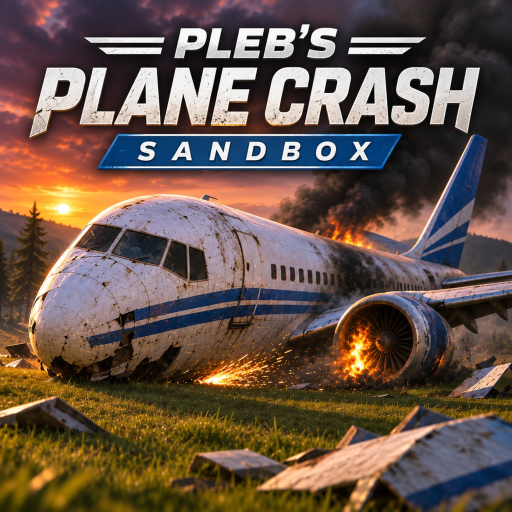
These patch notes summarize the UPD 7.4 era of Plebs Plane Crash Sandbox for wiki readers. The official Roblox title carries the version tag [UPD 7.4] Pleb's Plane Crash Sandbox [ALPHA]. WhatAPleb9 ships frequent changes, so treat this page as a feature snapshot grounded in known systems — not a verbatim dump of every private commit. When the number climbs, re-check the Updates Hub and the place description.
Last verified (wiki)
| Check | Detail |
|---|---|
| Date | 2026-11-17 |
| Title string on Roblox | [UPD 7.4] Pleb's Plane Crash Sandbox [ALPHA] |
| Public codes | Still none — see Codes and How to Redeem |
| New wiki coverage this pass | Military Intervention, Maps & Weather, Crash Physics, Airliners, Fighters |
Build identity
| Field | Value |
|---|---|
| Display / wiki name | Plebs Plane Crash Sandbox |
| Official title tag | UPD 7.4 ALPHA |
| Creator | WhatAPleb9 |
| Created | 2026-11-02 |
| UniverseId | 10774313244 |
| maxPlayers | 1 |
| Platforms | Computer or Console |
| Genre | Simulation / Physics Sim |
| Traction snapshot | ~220K visits, ~3.6K favorites, ~1.2K typical CCU |
Highlights players feel in UPD 7.4
Core sandbox loop polished for iteration
Spawn airliners and fighters, configure the scene, then fly yourself or press Run. Destruction remains piece-by-piece: wings snap, engines tear off, wreckage skids, burns, or sinks. That loop is the product; patches mainly tune readability and tools around it. New pilots should still start on Getting Started.
Failure panel depth
Documented triggerables include engine fires, flame-outs, bird strikes, engines falling off, wings snapping, and additional modes as the ALPHA expands. Choreography guidance lives on Trigger Failures. If a toggle renames after a micro-patch, trust the in-game panel first.
Cockpit warning suite
PULL UP, SINK RATE, and STALL continue to define emergency literacy. Use them as training signals in Controls before you silence them inside a committed crash.
Presentation tools
Crash replays and a shared crash counter support both learning and bragging metrics in a 1-player server world. Pair with How to Crash when you care about cinematic framing.
Scene dressing
Passengers, map changes, and weather remain first-class setup knobs — not cosmetics afterthoughts. They change mass, lighting, and approach geometry as much as vibe.
Military Intervention game pass
Paid layer for fighter jets with guns/bombs, anti-aircraft guns, and missile launchers. Balance inside the pass can shift between UPD tags; see Aircraft and Best Crash Planes for role guidance rather than DPS spreadsheets.
Feedback channel
The in-game Feedback button stays the supported bug/idea pipe — WhatAPleb9 reads messages. Prefer it over unsupported injectors (Scripts).
What did not ship (yet) — honest empty states
- Public promo codes — none documented; tracker stays empty on Codes.
- Dedicated community scripts for this place — none listed; no invented loadstrings.
- Formal public Trello — not confirmed on Official Links; roadmap tone lives on the Updates hub.
Player-facing changelog style (7.4 window)
Because micro-patches arrive often, we group notes by system:
Flight & control
- Expect ongoing tuning to airliner versus fighter energy.
- Warning timing may tighten or loosen — re-run the stall drill after each title bump.
- Console and Computer prompts can diverge slightly after UI passes.
Failures & physics
- Readability of engine tear-offs and wing snaps is a recurring focus area.
- Stacking many failures at once may be retuned; test stacks individually after patches.
- Water sink and ground skid behaviors can change with terrain updates.
Run & replay
- Run should mirror your pre-armed setup; if it drifts, file Feedback with reproduction steps.
- Replay scrubbing is part of the intended loop, not a debug leftover.
Pass content
- Guns/bombs/AA/missiles may receive damage or timing tweaks without a marketing splash.
- Re-validate shoot-down recipes from How to Crash after UPD changes.
How to verify a patch on your side
- Note the Roblox title version string.
- Fly Card H1 (heavy airliner documentary) from Best Crash Planes.
- Fly one Military Intervention card if owned.
- Compare replay readability to yesterday.
- Update your personal notes; watch this wiki page on the next edit pass.
- Send Feedback for regressions.
Wiki pages most likely to change after future UPDs
| System touched | Update these pages |
|---|---|
| Failures | Trigger Failures, How to Crash, this Patch Notes |
| Controls / warnings | Controls, Getting Started |
| Airframes / pass | Aircraft, Tier List, Best Crash Planes |
| Live ops | Codes, Scripts, Official Links |
Related reading
- Updates Hub — cadence and roadmap tone
- Guides Hub — playable tutorials
- Tier List — spectacle rankings after handling shifts
- Official Links — creator and place URLs
UPD 7.4 is a living ALPHA label, not a frozen retail SKU. Use this snapshot to know what exists, then let frequent patches surprise you — with Feedback armed and Run rehearsed.
Frequently Asked Questions
Quick answers to the most common questions.
Are these official developer patch notes?
They are a wiki feature snapshot for the UPD 7.4 ALPHA window based on known systems, not a verbatim studio export.
What is new enough to care about in 7.4?
Focus on the mature loop: failures, cockpit warnings, Run/replay, passengers/map/weather, and Military Intervention tools.
Will this page list every micro-patch?
No. Daily ALPHA tweaks are grouped by system. Check the Roblox title string and Updates hub for cadence.
Did UPD 7.4 add codes?
No public codes are documented. The Codes hub remains an empty monitored tracker.
Where do I report a regression after an update?
Use the in-game Feedback button. WhatAPleb9 reads player messages during ALPHA.