Plebs Plane Crash Sandbox Maps and Weather Guide
Choose scenery and storms that make every crash readable.
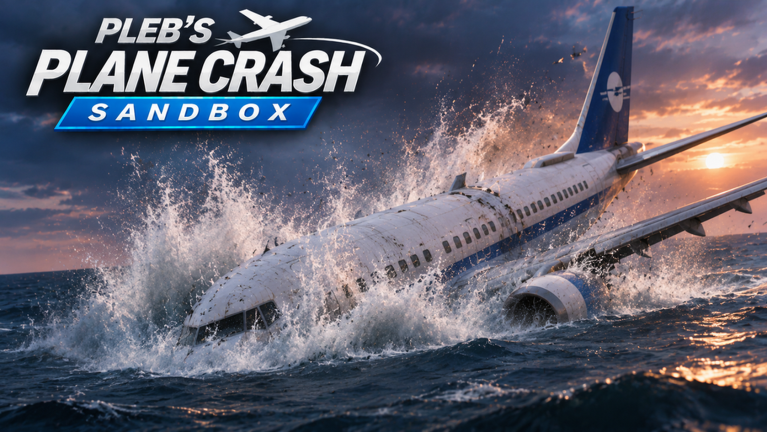
Maps and weather are half the story in Plebs Plane Crash Sandbox. The same airliner failure looks documentary on a long runway, chaotic on short final, and cinematic when wreckage slides into water under a storm. This ALPHA sandbox by WhatAPleb9 ([UPD 7.4] Pleb's Plane Crash Sandbox [ALPHA]) lets you dress the set before you ever touch failures or Run. Solo servers (maxPlayers: 1) on Computer or Console exist so you can reset scenery until the geometry serves the shot.
Use this page with Getting Started for first-session map picks and How to Crash when you are ready to film. Physics outcomes after impact are covered in Crash Physics.
Why map choice changes the crash
Crash geometry is the shape of available space between “still flying” and “debris stopped.” Maps change:
- Runway length and alignment — short strips force early decisions; long strips let you hold a wounded approach for camera.
- Water lanes — ditching and sink finales need open water in frame.
- Terrain relief — hills and obstacles create SINK RATE drama and cartwheel opportunities.
- Horizon clutter — busy skylines hide engine tear-offs; clean horizons sell them.
Pick the map for the finale you want, not for sightseeing. Then lock weather as seasoning.
Choosing maps by goal
Training and first flights
Beginners should pick a forgiving map with an obvious runway or a long, flat approach. Fair weather helps you read instruments and learn PULL UP / SINK RATE / STALL from Controls without fighting visibility. Complete one clean takeoff before any sabotage — that rule from Getting Started still applies.
Runway approaches (ground skid finales)
Use clear runway geometry when you want:
- Late wing snaps on short final
- Engine-out landings that turn into skids
- Fire trails that stay readable against pavement
Keep passengers on if mass and stakes matter; empty shells are fine for pure control drills. After impact, scrub the crash replay to see whether the skid stayed on screen.
Water approaches (sink finales)
Water maps reward flame-outs, dual-engine loss, and Military Intervention missile finishes that end in a ditch. Give yourself a long water lane so the fuselage can slide, burn, and sink instead of vanishing into a cliff. Pair water with staggered failures from Trigger Failures so the “why we ditched” story is obvious.
Open / scenic maps for fighters
Armed fighters from Military Intervention need wider framing and more sky. Dense runway mazes punish high roll rates. Open water or broad terrain keeps AA tracers and missile arcs visible.
Weather: drama versus training
Weather is not decoration — it changes what the camera (and you) can understand.
| Weather mood | Best for | Avoid when… |
|---|---|---|
| Clear / fair | Training, failure literacy, engine tear-off detail | You already know the stack and want mood |
| Storm / rain | Climax encores, fire contrast, chaos fantasy | Learning a brand-new failure |
| Low visibility / night-like presets | Highlight atmosphere | Diagnosing whether a failure “reads” |
Rule: prove the failure stack in clear air first, then upgrade weather on the encore. If a storm hides the bird strike that was supposed to start the story, the take fails even if the plane eventually breaks.
How map + weather reshape crash geometry
Think in three acts:
- Setup space — taxi, rotation, climb corridor on this map.
- Emergency space — altitude and heading room after the first failure.
- Impact space — runway, field, water, or hillside where debris will skid, burn, or sink.
Change one environmental factor per take:
- Same failures, new map → did the finale improve?
- Same map, new weather → did readability improve or die?
- Same map/weather, new airframe class (airliner vs fighter) → consult Aircraft and the Tier List.
That scientific habit beats random scenery spam and feeds better highlights than most thumbnail bait.
Pairings that always work
- Long runway + clear weather + single engine fire — classroom asymmetric thrust.
- Short final + clear weather + late wing snap — ground breakup study.
- Long water + storm + staggered flame-outs — ditch documentary.
- Open map + fair weather + Military Intervention missile — shoot-down readability.
- Any map + clear air rehearsal → storm encore — same stack, bigger mood.
Avoid stacking five failures on a brand-new stormy map on day one. You will not know whether the mess came from scenery, weather, or the failure order.
Run mode and scenery locks
Before pressing Run, lock:
- Map selection
- Weather preset
- Airframe and passengers
- Failure order
- Camera aim toward the expected break line
Run replays your configuration — it does not invent a better map. If Run looks muddy, simplify scenery or weather, then retry. Shared crash counter progress still counts completed wrecks; scenery only changes how proud you are of the clip.
ALPHA caveats
Map and weather menus can gain presets as UPD tags move past 7.4. When a new option appears:
- Test it solo on a known airliner stack.
- Compare pilot vs Run once.
- Note whether debris stayed framed.
- Send Feedback if a preset soft-locks or hides critical VFX.
- Skim Updates / Patch Notes.
No public Codes are required for maps or weather — ignore fake unlock lists. Do not install random scenery “enhancers” from Scripts; the stock tools are the feature.
Practice plan (40 minutes)
- Forgiving map, clear weather — clean takeoff and one flame-out recovery.
- Same map — bird strike into fire, intentional crash, replay review.
- Switch to a water-friendly map — ditch with staggered flame-outs.
- Storm encore of the best clear-air stack.
- Optional pass content — fighter + missile on an open map (Military Intervention).
- Write which map/weather combo “read” best; that note feeds your personal tier of set pieces.
Cross-links
- Guides Hub — full tutorial index
- Getting Started — when to introduce maps in hour one
- How to Crash — cinematic pipelines that assume scenery choices
- Crash Physics — what happens after wings and engines separate
- Official Links — place URL and creator
Maps and weather are free directors’ tools. Choose runway or water for the finale you want, train in clear air, climax in storms, and let geometry — not luck — decide whether the wreckage skids, burns, or sinks on camera.
Frequently Asked Questions
Quick answers to the most common questions.
Which map should beginners pick first?
A forgiving map with an obvious runway or long flat approach, plus clear weather, so you can learn takeoff and warnings before adding storms.
When should I use storm weather?
After the failure stack already reads in clear air. Storms are for climax encores, not first-time diagnostics.
What map type is best for sink finales?
Maps with long open water lanes so the fuselage can slide, burn, and sink without vanishing into terrain.
Do maps and weather work with Run mode?
Yes. Lock map and weather before pressing Run so the directed sequence includes your scenery choices.
Are map or weather unlocks tied to codes?
No public codes are documented for scenery unlocks. Use the in-game map and weather tools and ignore fake code lists.